QR ordering
Customers scan a QR code, browse the menu and send orders from their own phone.

BMO F&B POS supports dine-in, takeaway, cafe and food service operations with POS Web, QR ordering, set meals, add-on options, kitchen order notification and e-Invoice-ready transaction flow.
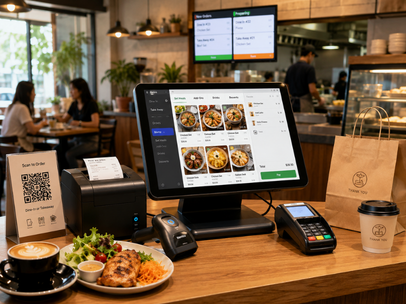
These points combine BMO source information with common POS expectations for the industry: transaction control, inventory visibility, customer records and reporting.
Customers scan a QR code, browse the menu and send orders from their own phone.
Send accepted orders to kitchen staff so new orders and preparation status can be monitored clearly.
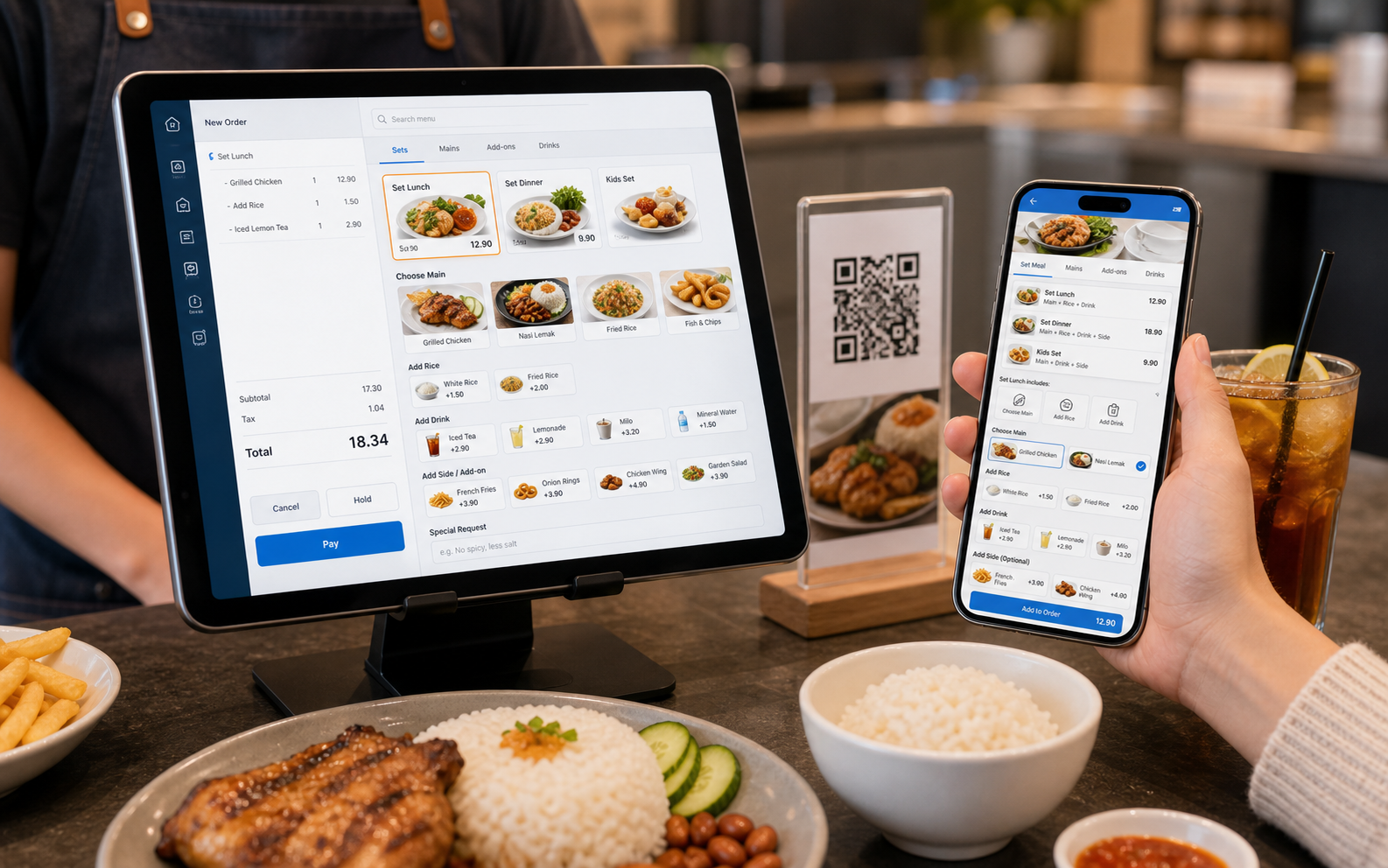
Support set lunch, set dinner, combos, add rice, add drinks, extra sides and item add-ons.
Use POS Web in browser for lighter rollout and remote owner visibility.
BMO F&B POS can handle restaurant menus where meals are sold as sets and customers or staff choose options such as add rice, add drinks, extra sides, toppings or other modifiers.
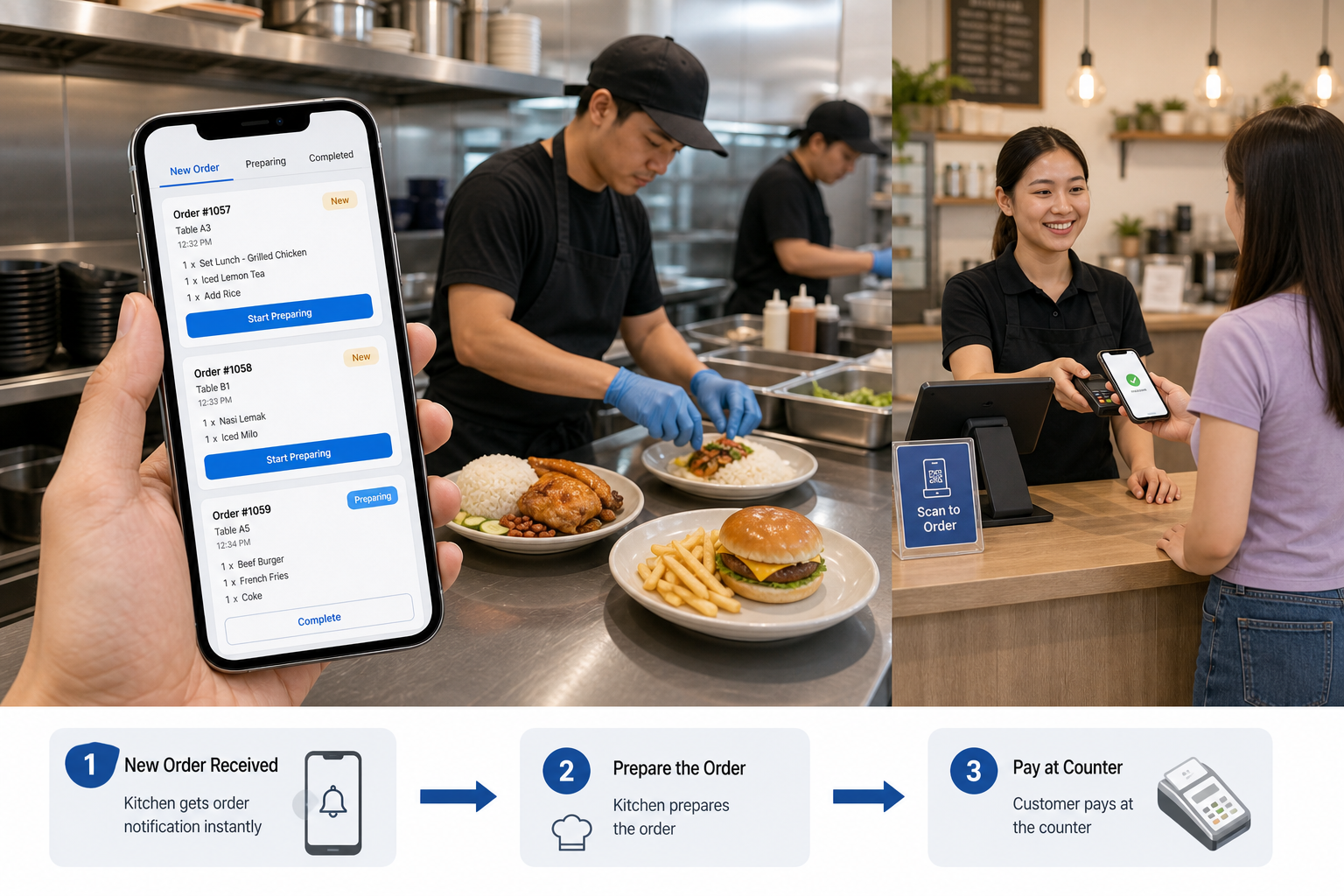
After an order is entered by cashier or submitted by customer QR ordering, the kitchen can receive the order notification and prepare according to item quantity, sets and add-ons. The cycle ends when the customer pays at counter.
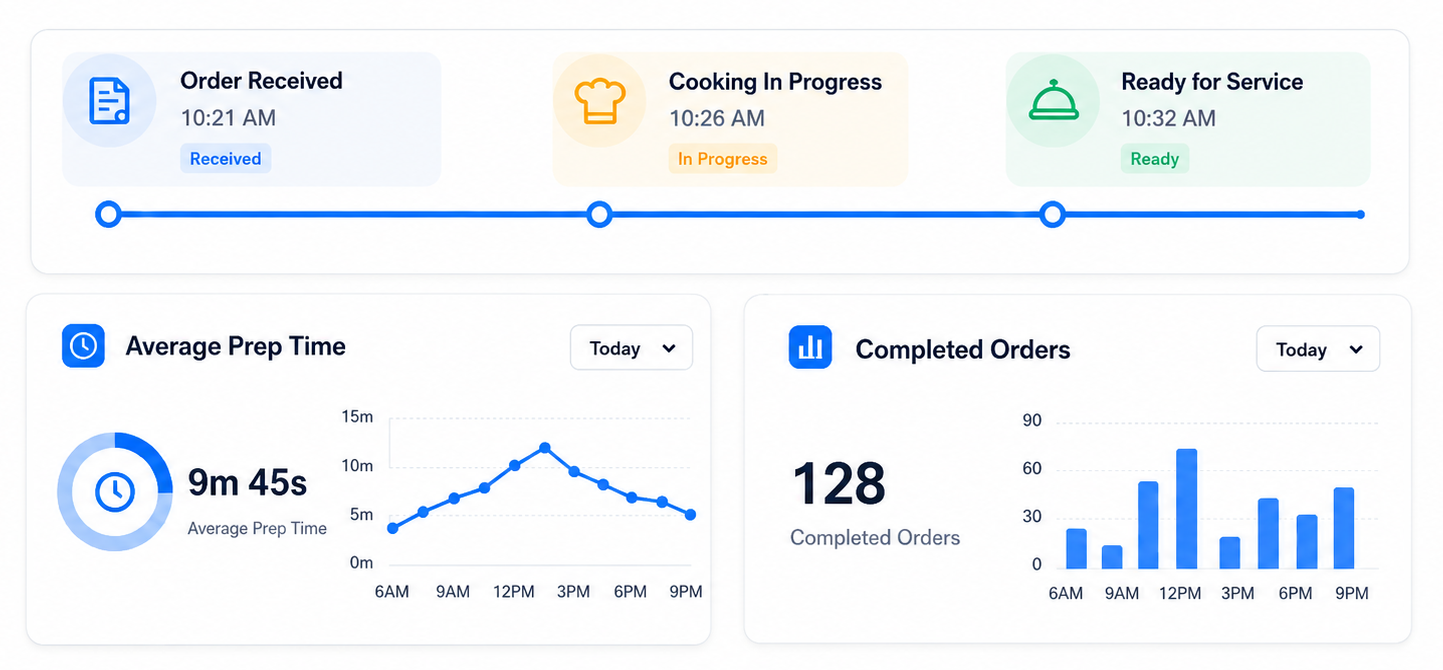
A kitchen API workflow can help restaurant owners record when an order enters the kitchen, when the chef completes the dish and when it is ready for service. This gives the owner a clearer view of dish preparation time, completed order count and kitchen performance during peak hours.
BMO POS Web from RM150/month, or F&B hardware bundle options for offline/hybrid counters.
Cashier order, QR order or self-order to kitchen notification page
Dine-in and takeaway order handling
Set lunch, set dinner, add rice, add drinks and menu item options
Consolidated or demand e-Invoice flow where required
Use these pages to continue the buyer journey into products, bundles, hardware or supporting modules.
Tell us your business type and outlet count. We will send pricing and arrange a walkthrough - no obligation.