Kitchen Order Queue
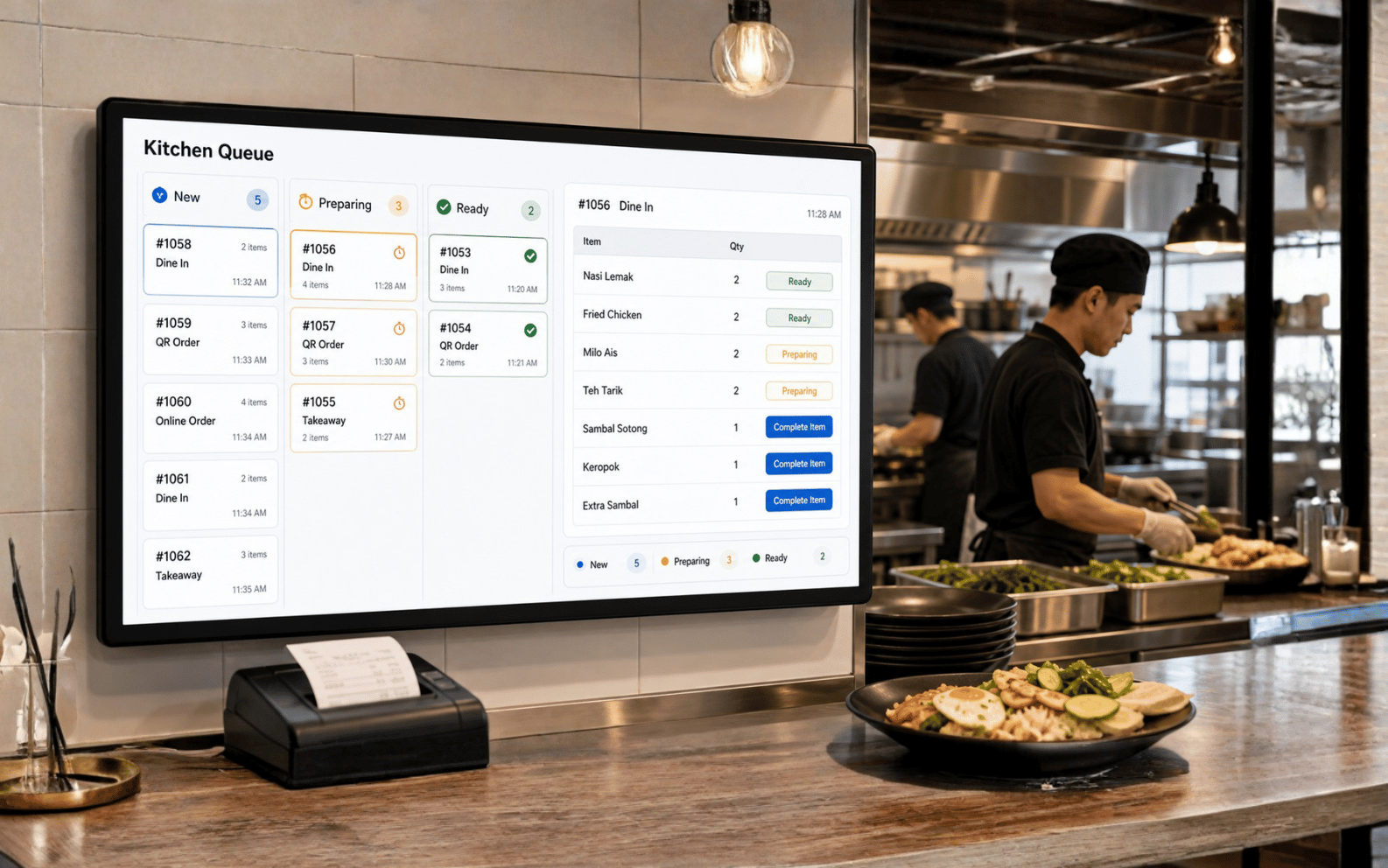
Orders from POS Web, QR ordering or cashier can appear in a kitchen preparation queue so staff know what to prepare next.

POSMarket Queue Management Covers POS Kitchen Order Queue, Standalone QMS Ticketing with Calling/Display, and WhatsApp Cloud Queue Where Customers Scan QR to Get a Number And Receive Queue Calls Through WhatsApp.
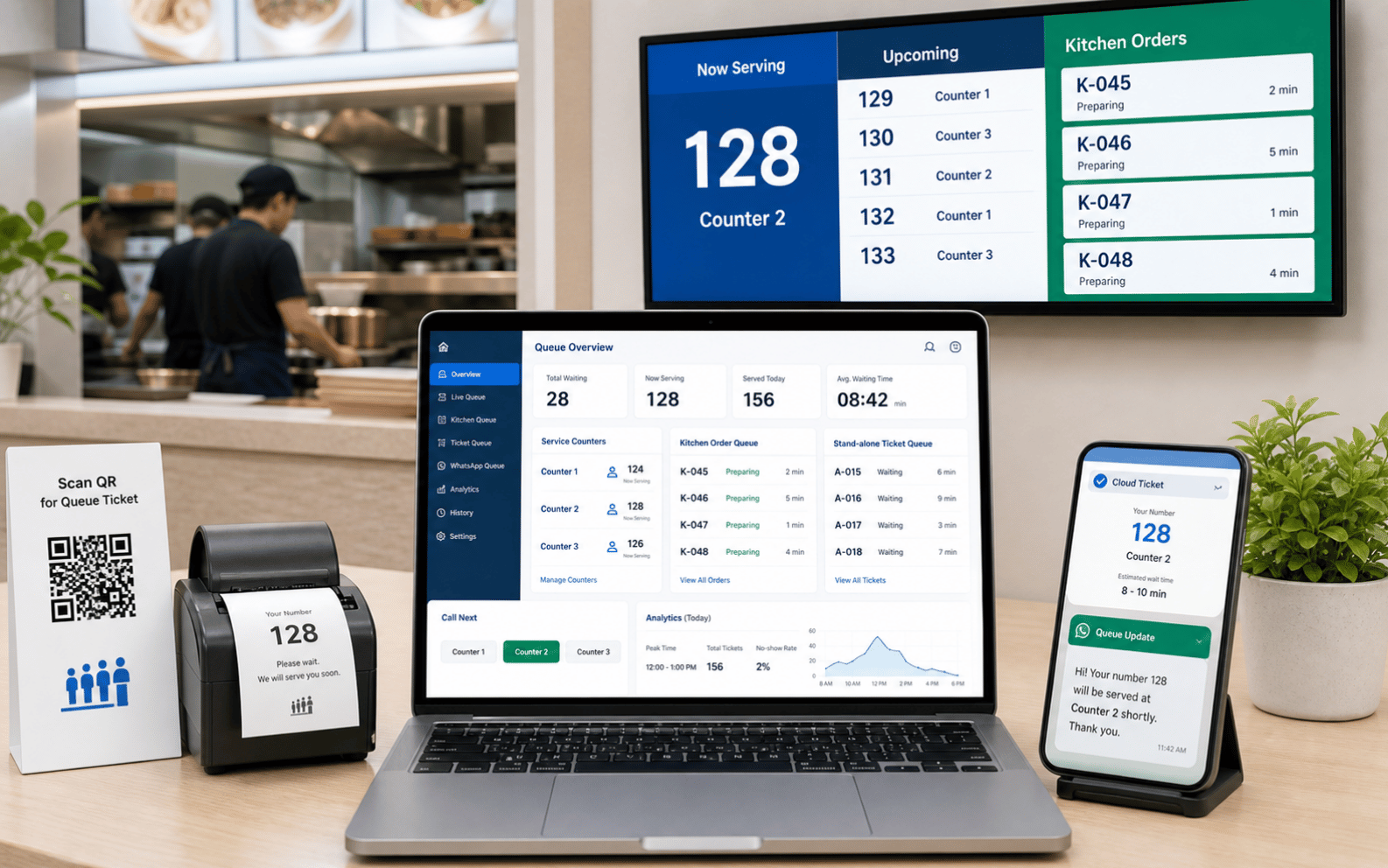
Queue Management is Not One Product Only. For POSMarket, It Can Mean Kitchen Order Preparation, Customer Service Ticket Calling, or cloud queue notification through WhatsApp.
Orders from POS Web, QR ordering or cashier can appear in a kitchen preparation queue so staff know what to prepare next.
Generate queue tickets from kiosk, printer or counter, then call numbers to counters and show status on display screens.
Customers scan QR to get a queue number, then receive queue updates and calls through WhatsApp instead of waiting near the counter.
For Restaurants, Cafes and Food Courts, Queue Management Can Live Inside The Order Process. The Kitchen Page Helps Staff Sort New Orders, Preparation Status and Completed Items.
For Clinics, Service Centres, Government Counters, Retail Service Desks and Branches, QMS Helps Organise Customer Flow with Ticketing, Calling and Display.
Issue queue numbers from a kiosk, ticket printer, QR link or counter operation.
Call next number, call any number, insert a number or manage special customer cases.
Move queue numbers between departments, counters or service agents when needed.
Show current and next queue numbers on monitor, TV or display device for waiting customers.
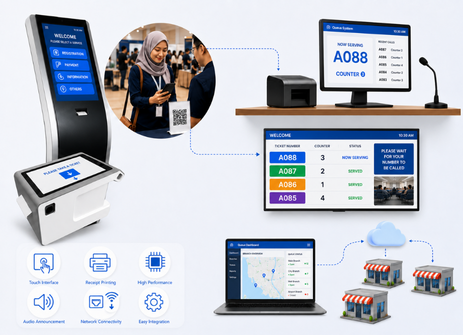
QueueSystem.my Positions The Q-Kiosk For Hospitals, Government Offices, Banks and Large Service Centres. It Gives Customers a Self-service Way To Choose Service Type and Print a Queue Ticket Before Waiting For The Counter Call.
Customer selects service and receives printed queue number.
Staff call next number, recall or move the ticket to another counter.
Show called numbers, counter and queue status on TV or monitor.
Can fit offline, LAN web server or WhatsApp cloud queue direction.
WhatsApp cloud ticketing modernises the waiting experience. Customers scan a QR code, receive a queue number and can be called through WhatsApp when their turn is near or ready.
Customer uses phone to get a queue number.
Queue number is generated through the online queue system.
Customer receives queue updates and calling notification.
Management can review queue activity and service flow.
Whether it is a standalone service queue or WhatsApp cloud queue, the basic operation should stay simple for both customer and staff.
Customer takes ticket from kiosk, printer, QR link or WhatsApp cloud queue.
Queue status appears on display screen, phone notification or counter system.
Staff call the number, push to counter or update status from queue manager.
Management checks queue service reports, waiting flow and counter activity.
These modules match the current QMS direction from POSMarket and QueueSystem.my style products. We can remove or split them later if needed.
Call next, recall, call any sequence, insert queue number and manage exceptions.
Assign or push queue numbers to counters, service agents or departments.
Use queue kiosk, thermal ticket printer or touchscreen terminal for physical tickets.
Show current number, next number and service counter on monitor or TV display.
Let customers take a queue number by scanning QR or opening a web queue link.
Print or review queue service reports for activity tracking and operational control.
Tell Us Whether You Need Kitchen Order Queue, Standalone Ticket Queue, Cloud QR Queue or WhatsApp Queue Calling. We Can Recommend The Right QMS Setup and Hardware.
Tell us your business type and outlet count. We will send pricing and arrange a walkthrough - no obligation.